We use cookies to enhance your experience, analyze traffic, and for security.
Cookie PolicyPlatform overview
One workspace for trading, planning, and operations
Ionloop.trade is a modular platform for people and teams who work with digital assets and everyday business tasks. Trading tools, calendars, diagrams, sheets, wallet, and account utilities connect through one IONLOOP ID—so you spend less time switching contexts.
IONLOOP ID is your long-term entry to the ecosystem: one identity for analysis, planning, automation where available, and crypto-related operations built on Binance infrastructure.
- Built for Binance-connected accounts
- TradingView chart integrations
What Ionloop offers
Modular tools behind one identity
Daily utilities, trading, planning, and account management are grouped so you can turn on modules at your own pace while keeping one IONLOOP ID across the platform.
Enterprise operations
ERP-minded operations in plain terms
Traditional ERP (enterprise resource planning) software ties together finance, supply, HR, and reporting so leaders see one version of the truth. Ionloop does not replace a global SAP rollout overnight—it gives you the same discipline on a lighter footprint: calendars, sheets, diagrams, tasks, and review rituals in one workspace tied to your IONLOOP ID.
How teams use it: operations sets cadence in calendars and sheets, finance tracks payouts next to Auto Pay, and traders stay in-chart while status updates flow through shared links—not scattered spreadsheets.
- Single thread from plan → execute → record → review
- Less context switching between “operations” and “markets” tools
- Room to grow into deeper inventory or procurement flows over time
Treasury & payouts
Automated payments inside Ionloop
Automated payments are recurring or batch transfers—payroll, contractor runs, rent-style schedules, or treasury top-ups—that follow rules you define instead of manual clicks each time.
How it is used: you connect payees and amounts (or import them from sheets), set calendars and thresholds, then Auto Pay executes against your wallet balances while logs stay beside trading and planning data. Approvals can mirror how your finance team already works; alerts surface failures before they escalate.
- Repeatable runs lower operational risk versus one-off wires
- Crypto-native and fiat-friendly flows depending on product availability
- Built-in trail next to IONLOOP ID for audits and support
Investing & automation
From research habits to guided automation
Investing in Ionloop is the full cycle: hypothesis, position sizing, execution, and review. Automation is the layer that repeats vetted steps—alerts, staged orders, or constructor-driven routines—so emotion and mouse miles drop after you document the playbook.
How it is used: newer participants lean on guides and Signal Explorer to build discipline; experienced traders pair TradingView workflows with cycle or edge constructors where the product exposes automation. Every automated path should map back to a written rule your team agrees on.
- Guides anchor why before what runs automatically
- Constructors encode timing and conditions you have already tested
- History modules prove what the automation did, when, and why
Commerce
POS & omnichannel payments
A POS (point-of-sale) stack is the combination of terminals, software, and settlement rails that lets you sell in person or online and reconcile to treasury. Ionloop approaches this as part of your payment program: hardware choices, wallet funding rules, fee transparency, and how in-store receipts tie back to the same identity you use for trading.
How it is used: retail and hybrid teams map each store or counter to clearing accounts, send batched settlements into wallet or Auto Pay rules, and open billing tickets when counterparties change providers. Help Center articles cover limits, compliance checkpoints, and escalation paths.
- Align swipe/tap data with digital wallet balances
- Single billing contact for POS providers and Ionloop accounts
- Scales from pilot locations to multi-region rollouts
Built around practical workflows
Plan, operate, trade, then review
A practical flow for teams and individuals: plan first, run operations, trade when you are ready, then review outcomes with history and documentation.
Plan & model
Use calendars, diagrams, and sheets to shape decisions before capital or time is committed.
Operate the business
Coordinate payments, schedules, files, and notifications from account tools aligned with your IONLOOP ID.
Trade & automate
Execute manually or assemble strategies with the trading constructors where automation is available today.
Review & document
Trading history, spreadsheets, and guides keep outcomes traceable for you and your team.
Platform preview
Your workspace layout
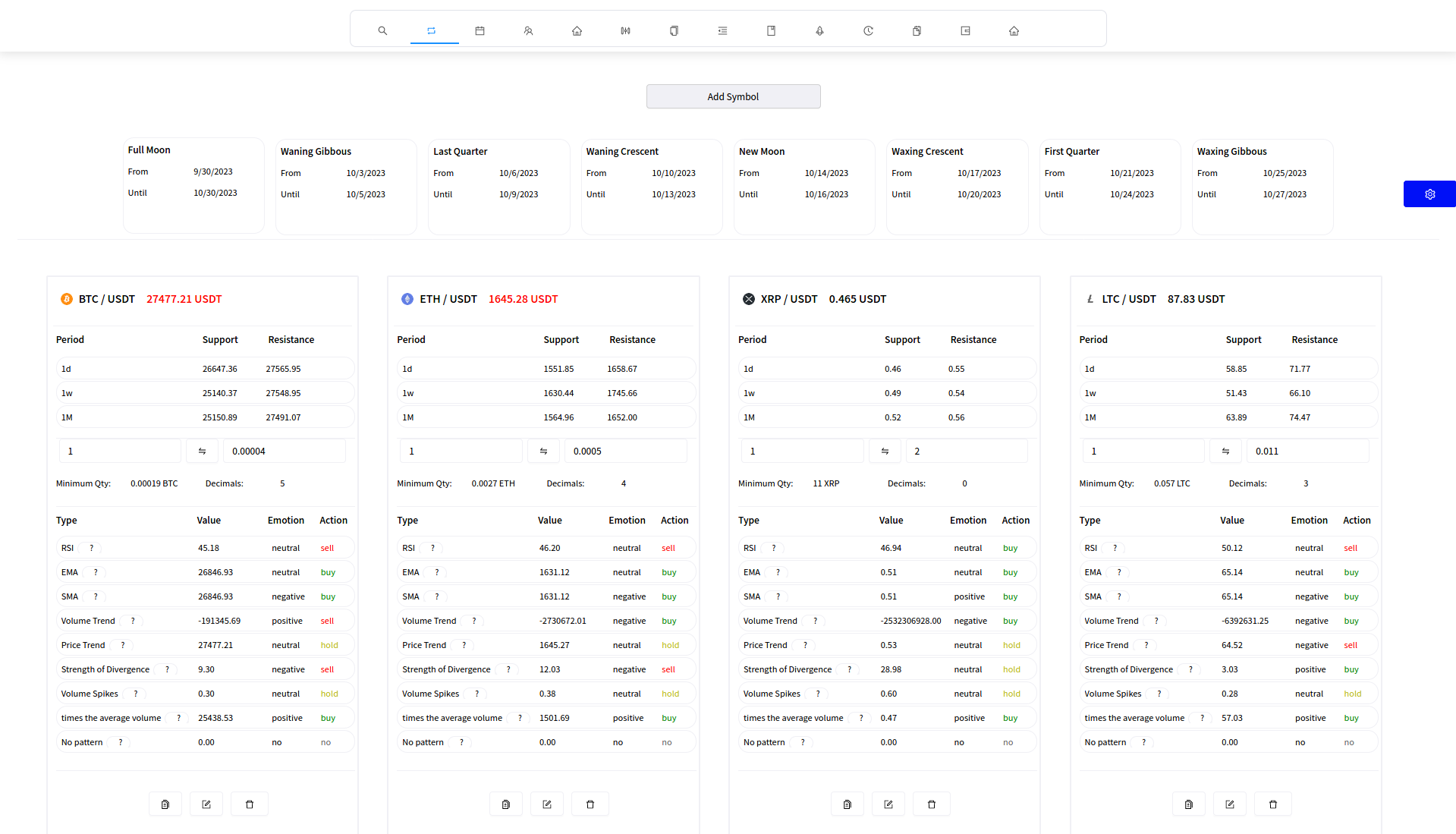
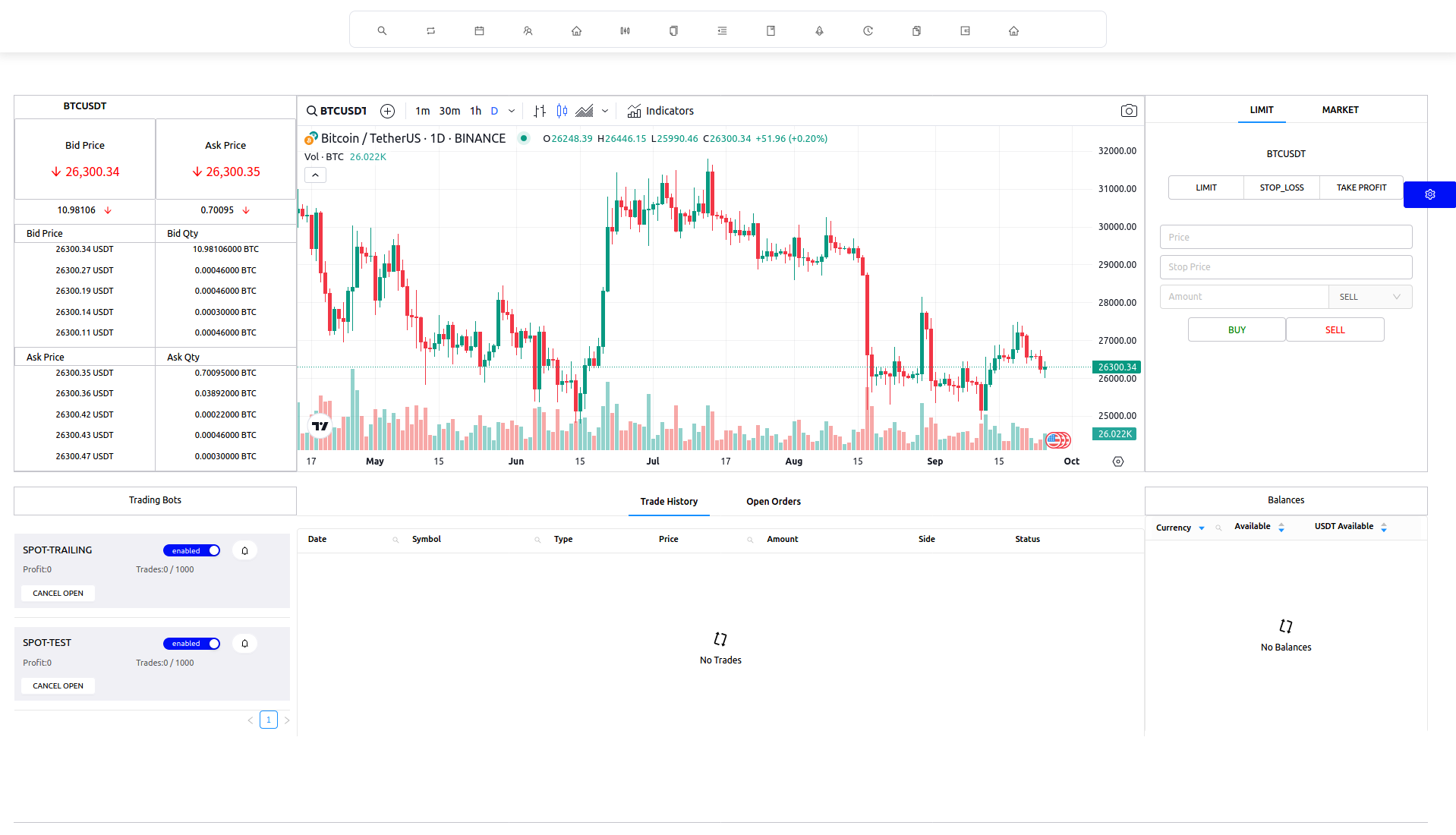
Charts, side panels, and quick-access modules are arranged so you can move between market views, planning tools, and account actions without losing the thread. What you unlock depends on your plan and the products you use.
Operations overview
Coordinate the work that happens between trades
Ionloop keeps operational visuals calm and grid-driven so teams can focus on schedules, inventory-style tracking, and hand-offs without decorative clutter.
Projects and solutions
Projects are longer-term product lines—auctions, travel, cloud, and more—with their own entry points as they roll out. Solutions are live tool pages for trading, planning, wallet, and support you can open today.
Projects
- Under development Auction platform Buy and sell workflows
- Under development Travel management Trip planning and coordination
- Operational management Schedules, hand-offs, and operations between trades
- Under development Marketing management Campaign growth tooling
- Under development Instance management Cloud instances and databases
Solutions
- Trading dashboard & history Manual trading panel and account records
- Markets & conversion Watchlist-style analysis and crypto conversion
- Planning suite Calendars, diagrams, spreadsheets, documents
- Wallet & payments Digital asset wallet and payment flows
- Signal explorer Public market observation
- Notes++ Rich notes and lightweight scripting for traders and analysts
- Help center Support and policy references