IONLOOP Support

Projects

Buy and Sell

Read more →

Interact with other people, plan your trips

Read more →

Manage your instances and database

Read more →

Manage your business, team and payments

Read more →

Manage campaigns, and grow your business

Read more →

Solutions

Interact with other people

Read more →

Share questions & answers together.

Read more →

Create & Book Appointments.

Read more →

Convert cryptocurrencies.

Read more →

Code & Text Editor.

Read more →

Pay salaries or just automate your payments.

Read more →

Set timing, stopwatch or countdown.

Read more →

Build & analise your mindmap with us.

Read more →

Build & analise your events.

Read more →

Build & analise your events.

Read more →

Manual trading panel

Read more →

Build your strategy at TradingView, automatize it here.

Read more →

Be up to date with account history

Read more →

Plan out your day graph

Read more →

Write your own directional blocks for making trades

Read more →

Choose your notification service and recieve the latest updates.

Read more →

Choose your favorites and manage features much faster.

Read more →

Enjoy our analystics made from your spending

Read more →

Modern ways for account improvments

Read more →

Read important articles

Read more →

Find answers to common questions

Read more →

It's important to increase availablility

Read more →

How to create API Keys ?

Creating an API allows you to connect to Binance's servers. It's a must if you want to use functions wich involves trading.

How to create your own Binance API ?

Binance API keys are only valid for 90 days, which means that after this time you will have to update your API keys to continue using your ID with your Binance account. This should only take you a few minutes to complete.

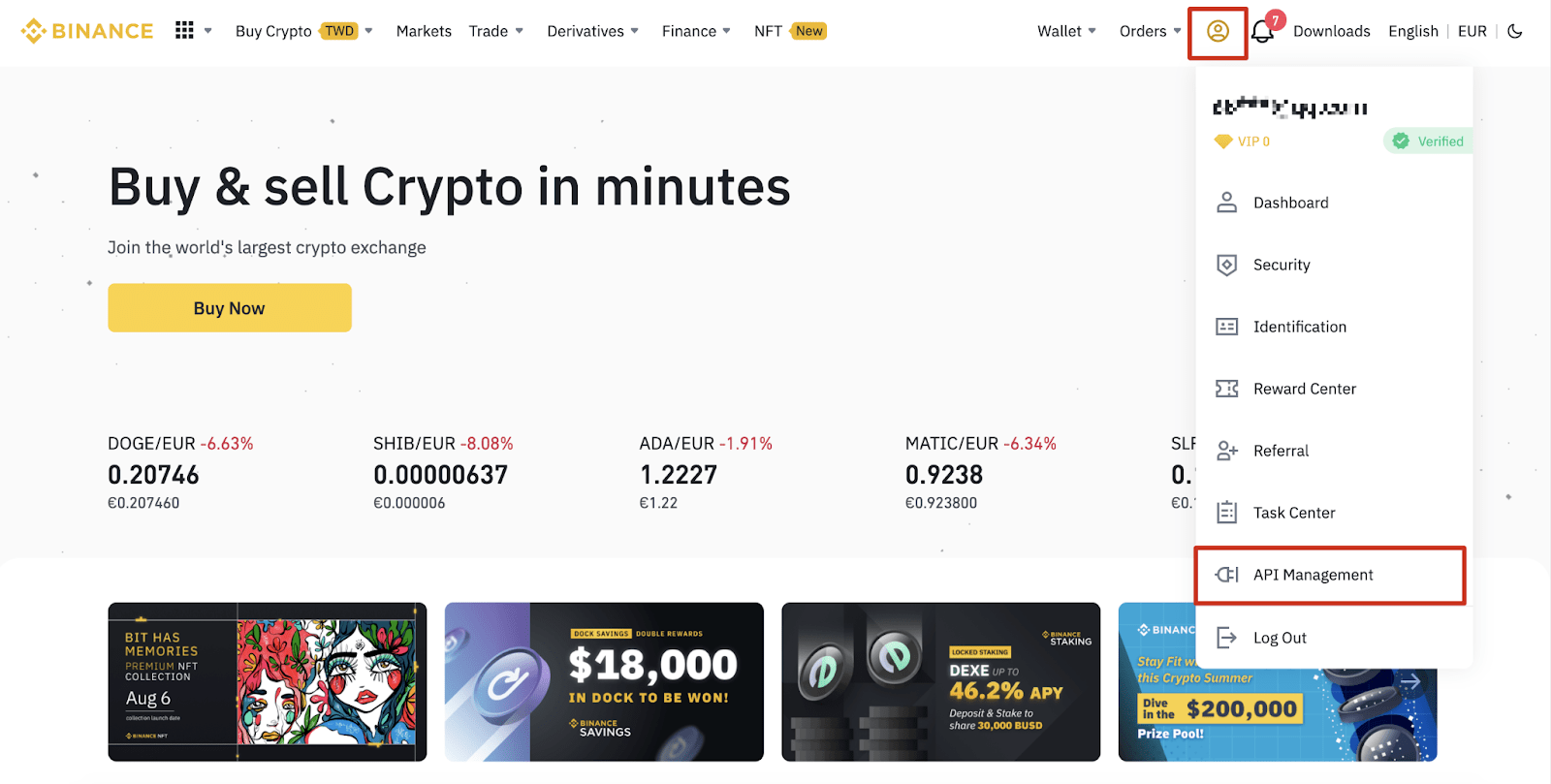
1. After logging into your Binance account, click [API Management].
IONLOOP.TRADE

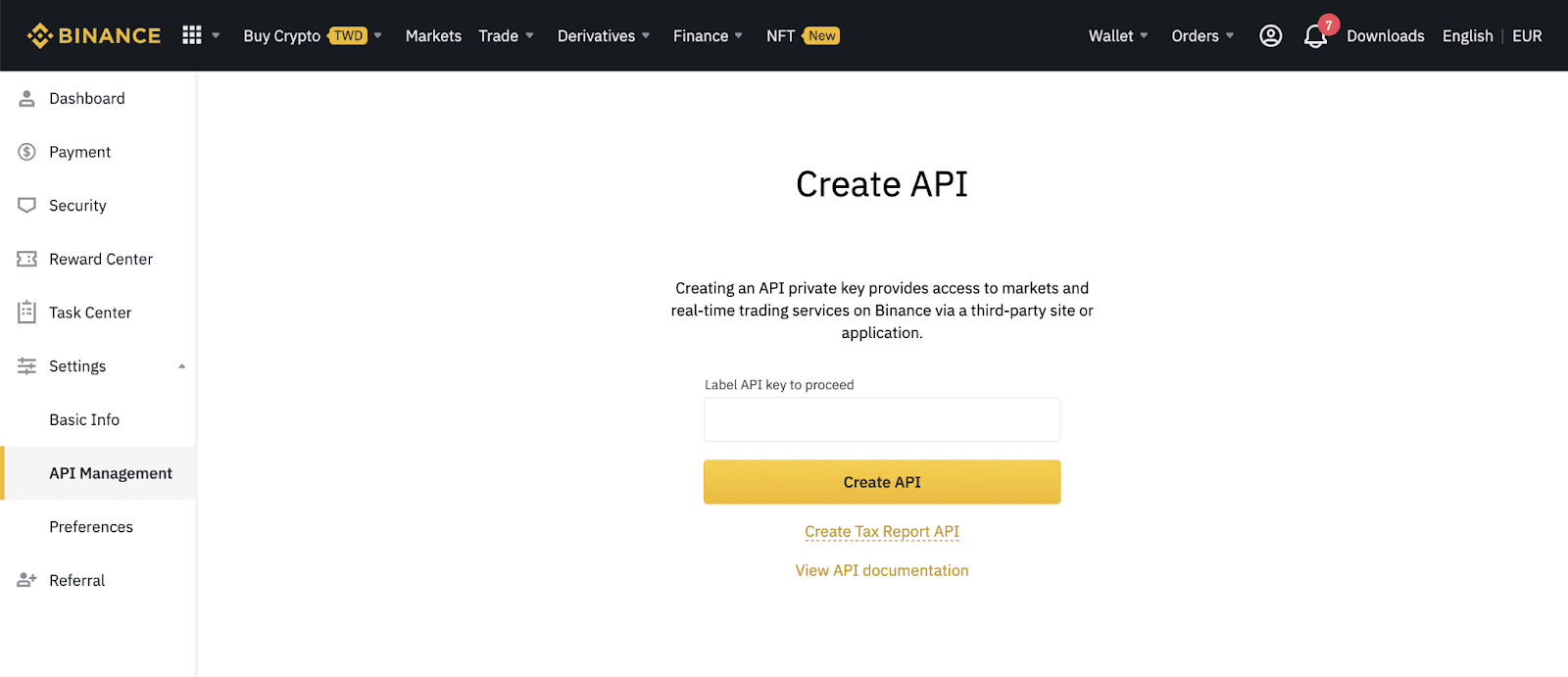
2. Enter a label/name for your API key and click [Create API].
IONLOOP.TRADE

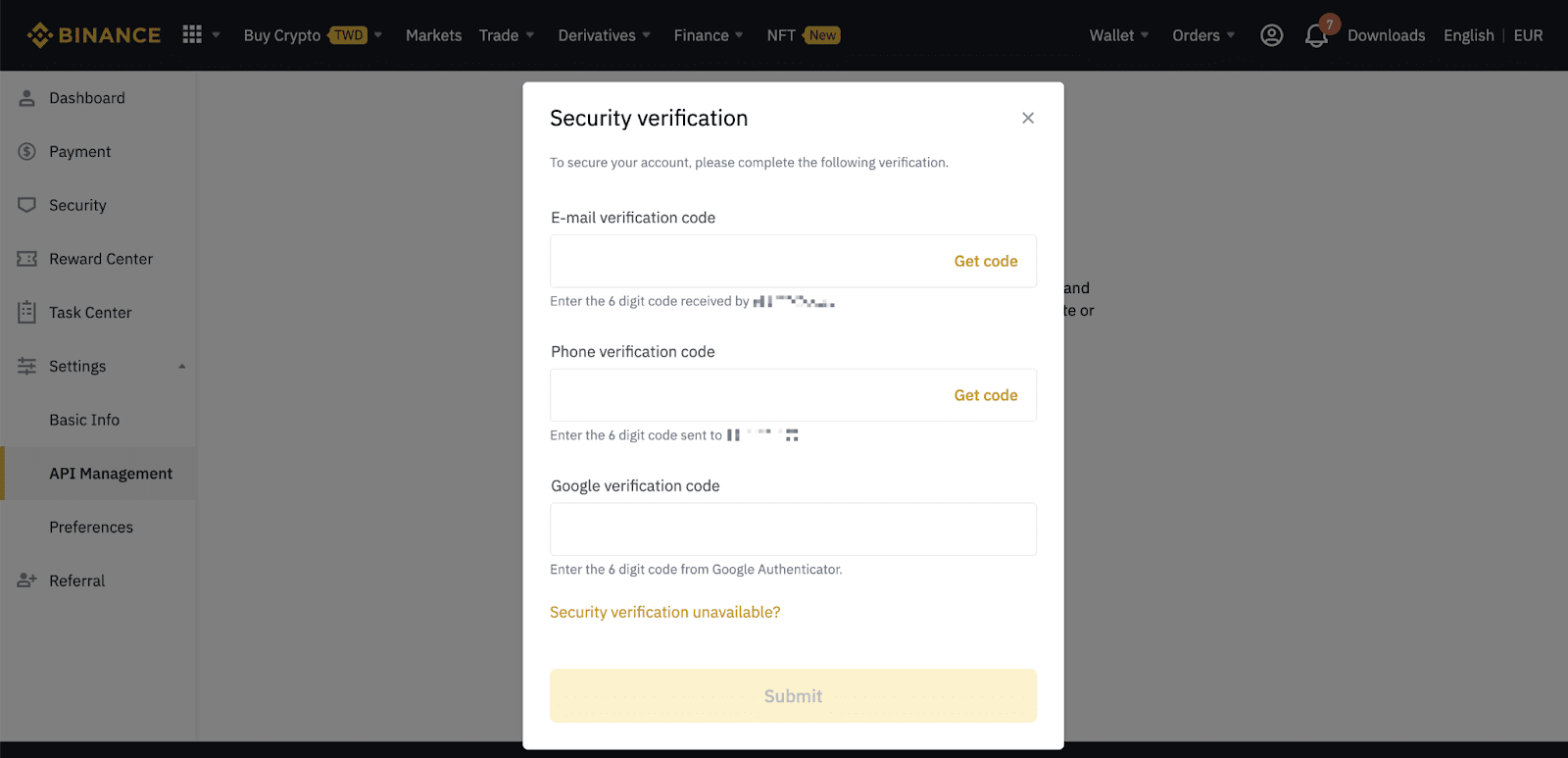
3. Complete the security verification with your registered 2FA devices.
IONLOOP.TRADE

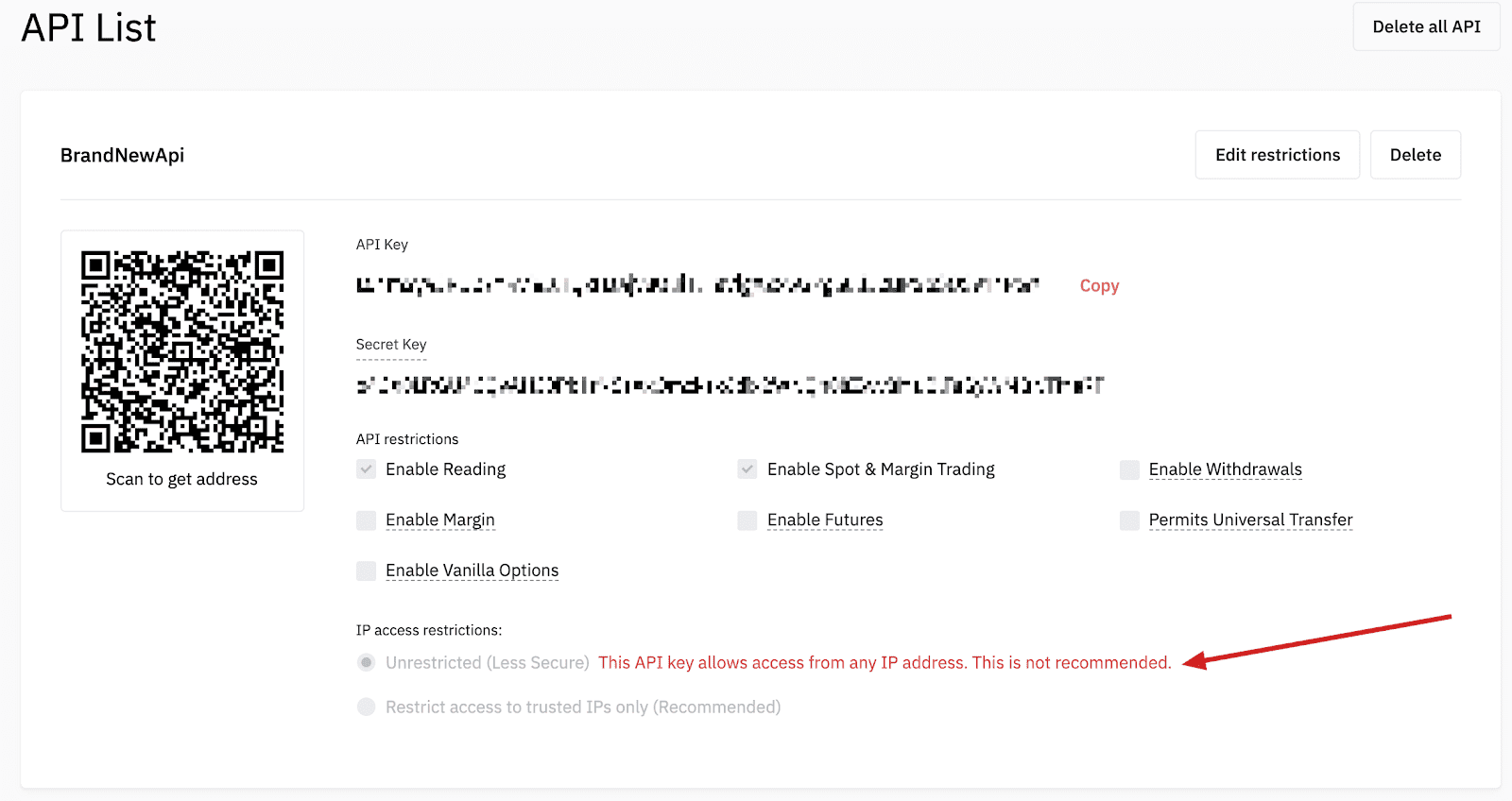
4. Complete IP access restrictions

We recomend you to check Trusted IP, to enable wallet access.

To access our services, restrict access to https://ionloop.trade
IONLOOP.TRADE